Announcement
Rename the field. Nothing breaks.
Shapio 0.9.0: rename a field, change its type, or rework a content type, and every site and app you already shipped keeps working. None of them even find out.
Every content model that has been in production long enough has a field called description_new_FINAL. You know the one. It sits right next to description, which nobody uses, and description_new, which nobody admits to writing. All three are still there because something, somewhere, might read them, and nobody wants to be the person who finds out what.
Changing the model takes a minute. Changing everything that reads it takes forever. The website reads it. The iPhone app reads it. Last spring's iPhone app reads it too, because some people treat the update button as a suggestion. So does a partner's integration you will never see. Rename one field and all of them break in the same second.
So the standard advice is: don't. Add the new field next to the old one, move every reader, wait, then clean up. The waiting is a guess. The cleanup is the step that never happens. Hence description_new_FINAL.
In Shapio 0.9.0 you just rename it, and the stuff you already shipped keeps working. That's the whole announcement. The rest of this post is the proof, and where the idea came from.
I didn't invent the trick. Shapio keeps stealing from computer science, on purpose, because most of the hard problems in a CMS were solved somewhere else years ago. Schema changes work like git: pull, apply, and a refused push when someone else got there first. Snapshots come from databases: a build reads the content as it stood at one moment, while editors keep publishing.
This one comes from a 2005 programming-languages paper about lenses: one set of data, seen in more than one shape, with the translation worked out for you. In 2021, a research lab used lenses to let old and new versions of an app share the same data. As far as I can tell, nobody had brought the idea to a CMS, where it is badly needed. So I did.
Watch it not break
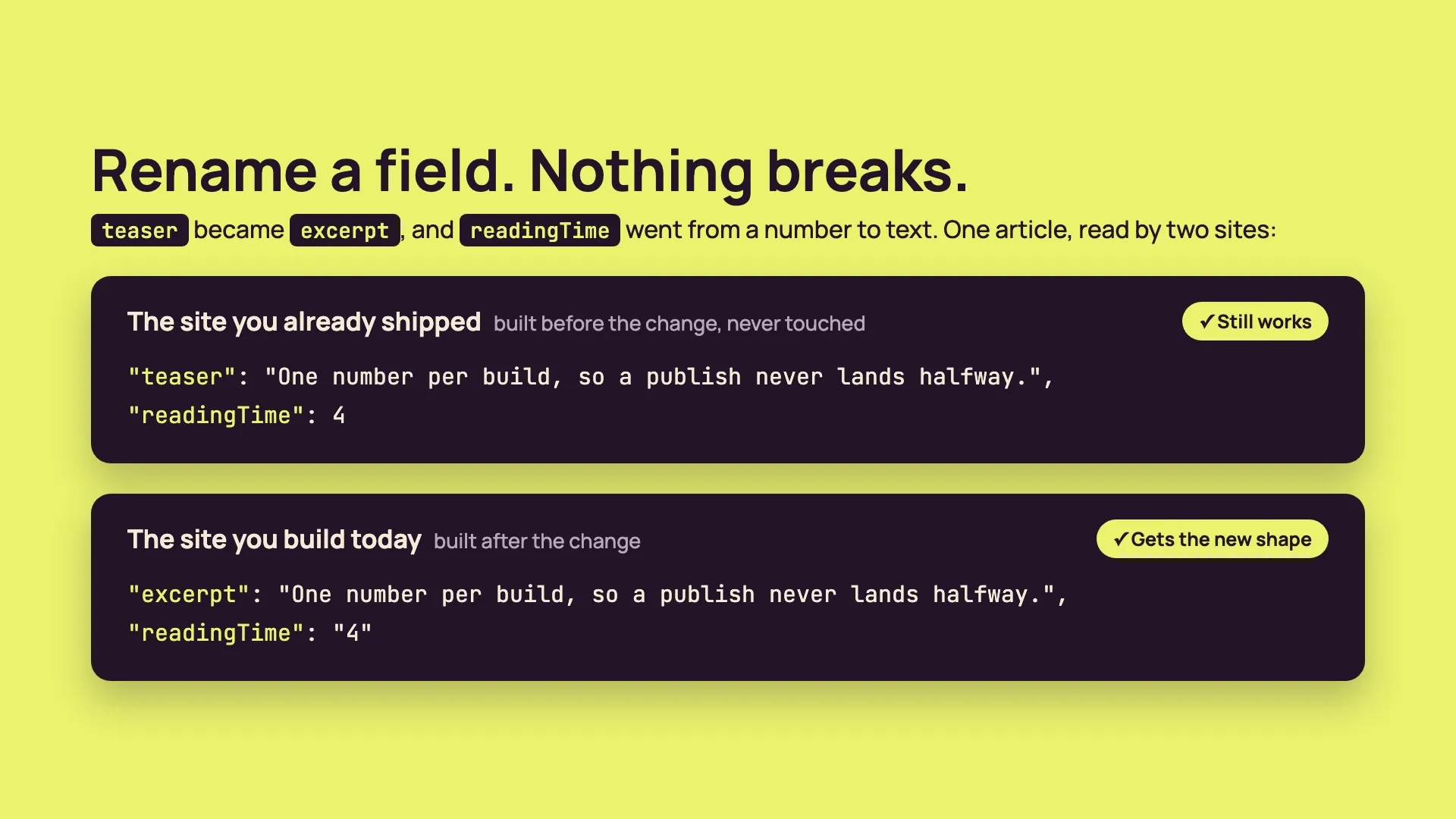
Here's an article with a teaser and a readingTime in minutes. A website was built against it and deployed. Then I renamed teaser to excerpt, because that's what it is, and changed readingTime from a number to text, because an editor wanted to write "about 5" and editors deserve nice things. Both changes went live from the admin. No restart, no deploy.
A site built today asks for the new fields and gets them. This is a real response, trimmed to the parts that matter:
{
  "title": "Why builds pin a snapshot",
  "excerpt": "One number per build, so a publish never lands halfway.",
  "readingTime": "4"
}
The website that was already deployed sends the exact request it has always sent, asking for teaser. Here's what it gets:
{
  "title": "Why builds pin a snapshot",
  "teaser": "One number per build, so a publish never lands halfway.",
  "readingTime": 4
}
Old name. Old type. Today's content. Edit the article and both sites show the edit, each in the shape it expects. The old site has no idea anything happened.
How the old site knows what it wants
Every site or app tells Shapio which version of the model it was built against. You never type it. The types Shapio generates for your project carry the version, and the client sends it along:
export const shapio = createClient({
  baseUrl: process.env.SHAPIO_URL!,
  token: process.env.SHAPIO_DELIVERY_TOKEN,
  schemaVersion: SCHEMA_VERSION,
});
Shapio keeps every version of every content type, so it hands each build today's content in the shape it was built for, over REST and GraphQL. The Astro, Next.js, and SvelteKit starters are already wired for it.
When you want the new shape, regenerate the types, fix whatever the compiler complains about, and deploy. On your schedule, not the rename's.
The app you can't touch
Some things can't be rebuilt. The app already on phones. A kiosk in a lobby. Your uncle's phone, still running a version from two years ago because he turned off updates in 2024 and considers the matter closed. For those, you pin the API token to a version. One click, in Settings.
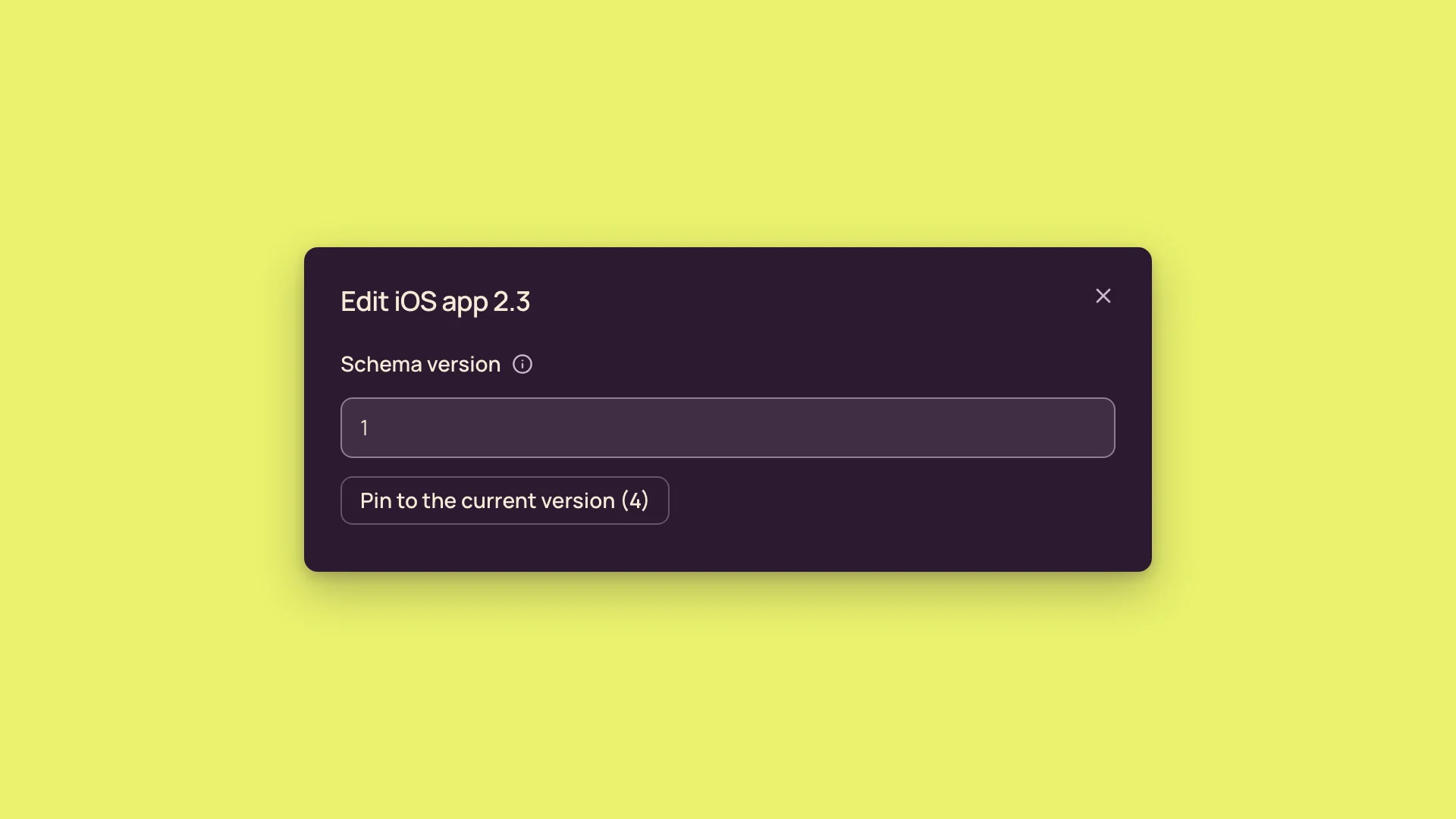
From then on, everything that token reads comes back in that version's shape, and the app doesn't change at all. Pin the token when you ship, and that build has a contract that actually holds.
The few things it won't hide
A few things do show through. Delete a field and it's deleted: an old app reads it as empty, because Shapio will not conjure data that no longer exists. Turning localization or drafts on or off, or switching a type between a collection and a single, shows through too. And an old client can't filter or sort on a field whose type changed. Shapio refuses instead of guessing.
The good news is you find out first. Changes go through a review that tells you what older sites and apps will see, and which ones are still out there.
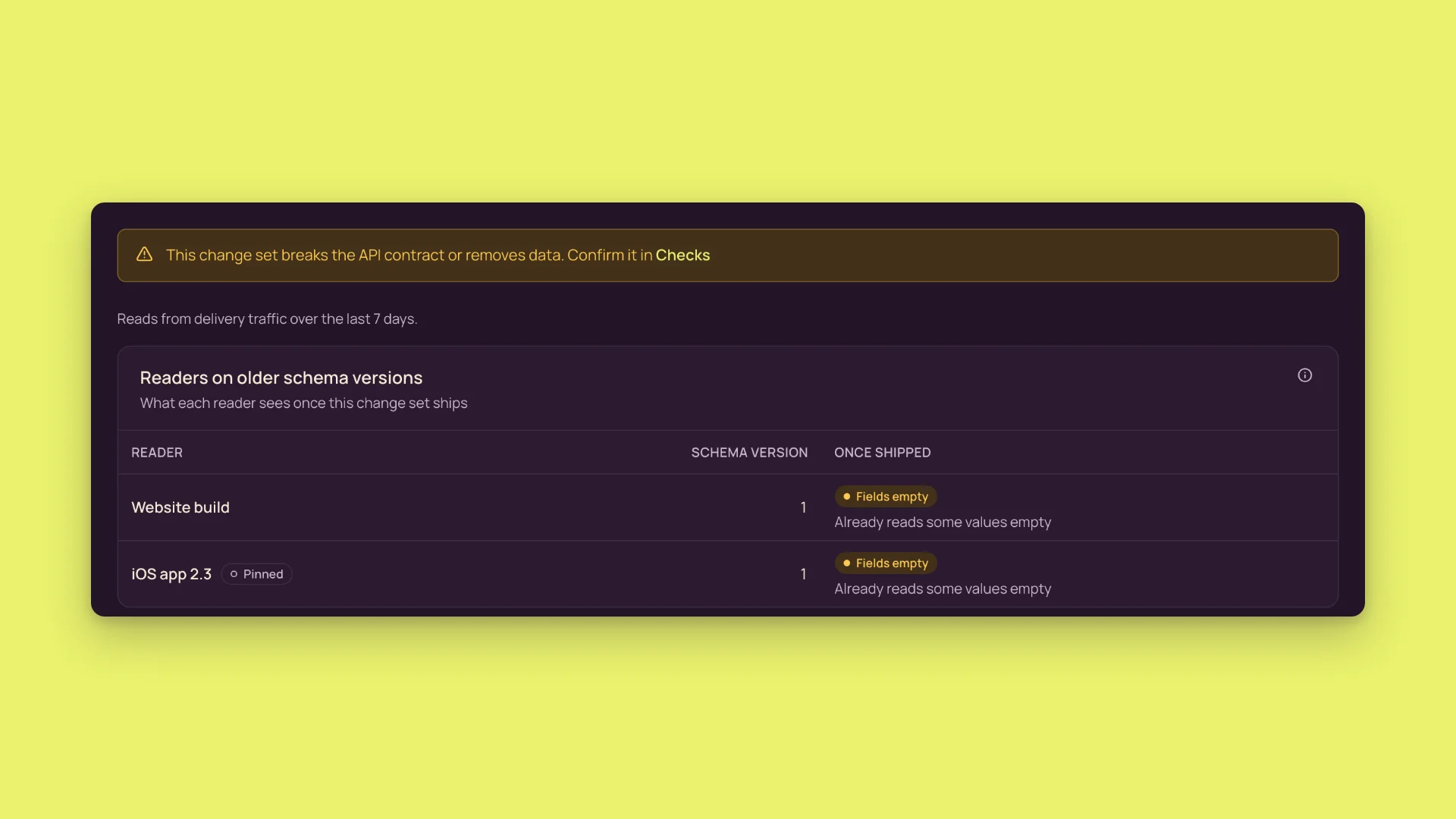
"What still reads this field?" used to get a shrug. Now it gets a screen with names on it.
It isn't a back door
I work in security, so this is the part I was fussiest about. An API that can answer in an old shape is an API with a second way in, and that's where data walks out the door. So a version changes how a response looks, never who may read what. Make a field private and it reads empty in every version, the old ones included. Delete a field and no version brings it back. Someone who isn't allowed to read your content gets the same "no" whether they ask for today's version, an old one, or a version number that never existed. Asking for a version tells them nothing. Old shapes, current rules, every time.
Why this works here
In Shapio, a content model is data, not code, and every field has a permanent ID that survives renames. Content is stored by that ID. So an old version of a model is just another set of labels on the same content, and Shapio works out the translation on every request.
The closest thing I know of is Stripe. Stripe pins your account to the API version you built against, and its engineers hand-write a transformation for every breaking change they make to their own API. Great deal, if you are Stripe. Shapio gives you the same deal for a model you change yourself, from an admin screen, with no transformation to write.
I looked for this in other headless CMSs and didn't find it. What they tell you to do is what I described at the top: keep the old field and the new one side by side, move everything that reads them over, and clean up later. If one of them does have it, tell me and I'll happily correct this.
Go rename something
npm install @shapio/[email protected]The Docker image is tagged 0.9.0, and the docs cover the details under Schema lenses. Then go find your description_new_FINAL and give it a real name. Your shipped apps won't notice.