Guide
I didn't build redirects into my CMS
I took redirects off Shapio's feature list because a content type and a build step already do the job.
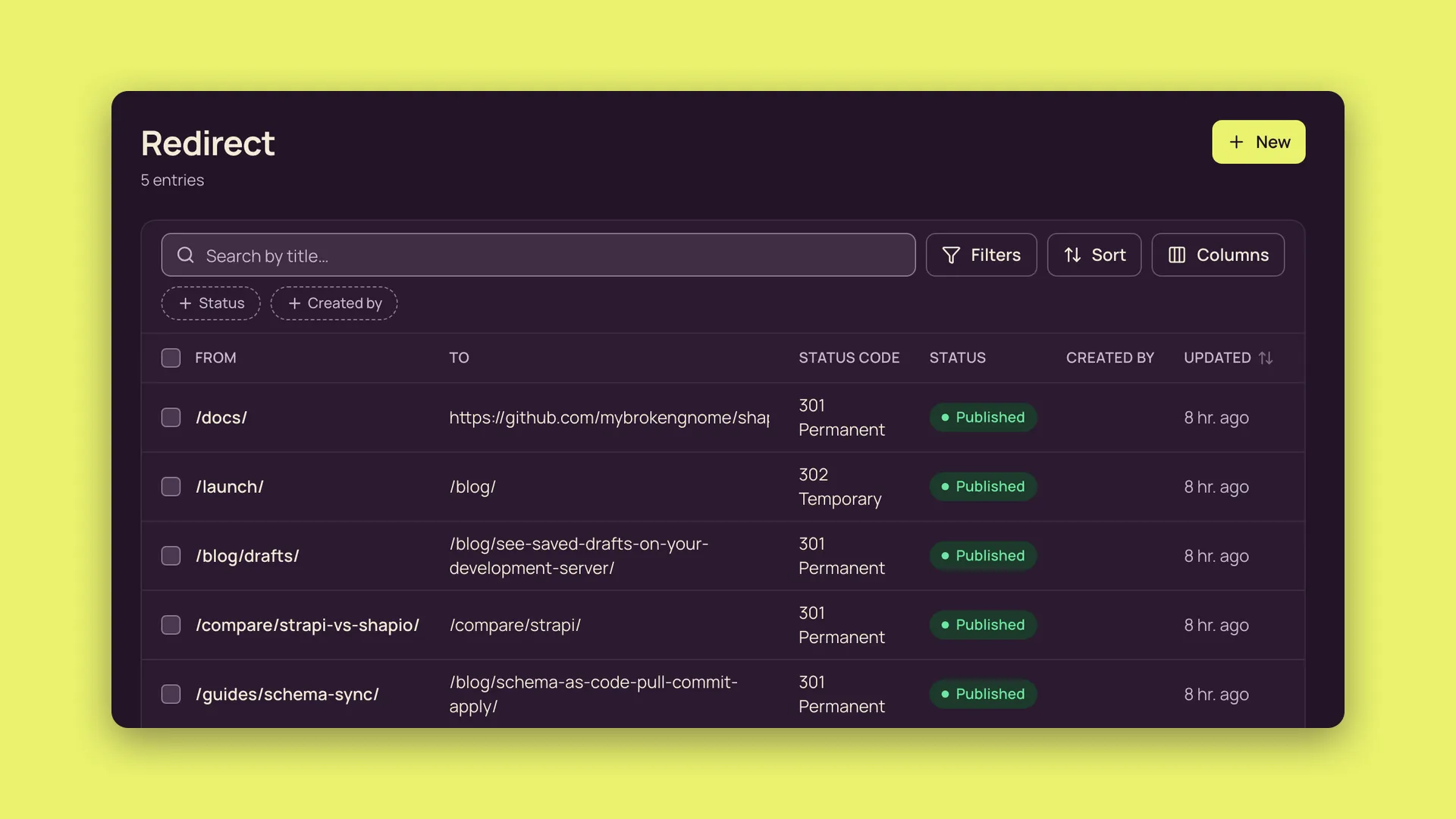
The roadmap card
Redirects were a Now item on the shapio.dev roadmap. The card promised redirects “managed per site in the admin and written into your host's redirect file at build time”. I decided not to build that feature.
Shapio is an open-source, self-hosted headless CMS. Its content model is data in the database, so you can change a type in the admin while production keeps running. The REST and GraphQL APIs serve a new field on the next request, without a rebuild, restart or deploy.
Redirects are website plumbing. The CMS does not need to know what a redirect is. It needs to store the entries, control who can read them and deliver them to the build.
What Strapi users add with a community plugin, and WordPress users with a plugin that has millions of installs, is a content type and a build step here. The existing model and delivery API can carry the data.
Make the type
In the admin, create a content type named redirect (its plural API ID is redirects). Give it these fields:
from: short text, required, unique.to: short text, required.type: choice with the valuespermanent(label 301) andtemporary(label 302), defaultpermanent. Choice values must be GraphQL names, so they cannot be numbers. The field cannot be calledstatus, because every entry already has a system field with that name.enabled: boolean, default true.note: long text.
That takes two minutes, live, with no deploy. Give the site's build token, through its delivery role, read access to the type. In the starter, that role is “Starter site (delivery)”.
Only published redirects reach the build, because the delivery API serves published content only. On an instance with several sites, the type belongs to the site that uses it.
Write the file at build time
The Astro starter already writes a _headers file at build time for Cloudflare Pages and Netlify. Put _redirects beside it in dist. Both hosts read that file, with one rule per line in the form from to status.
In the Astro starter, src/lib/shapio.ts has a listAll helper that reads a collection page by page at the build's pinned snapshot (one delivery page holds at most 100 entries). It always asks for SEO fields with the site's defaults filled in, which Shapio refuses for a type without an SEO field. Export it, and move its ...query line below seo: 'resolved' so a caller can override that:
export const listAll = async <T>(routeKey: string, query: DeliveryListQuery): Promise<T[]> => {
  // …
    const result = await shapio().delivery.list<T>(routeKey, {
      richText: 'html',
      seo: 'resolved',
      ...query,
      snapshot,
      page,
      pageSize: PAGE_SIZE,
    });
Then add a page that writes the file. Astro turns src/pages/redirects.txt.ts into dist/redirects.txt, and a rename at the end of the build script makes it _redirects:
// src/pages/redirects.txt.ts
import { listAll } from '../lib/shapio.js';

type Redirect = { from: string; to: string; type: 'permanent' | 'temporary'; enabled: boolean };

const CODE = { permanent: 301, temporary: 302 } as const;

export const GET = async () => {
  const rules = await listAll<Redirect>('redirects', { seo: 'raw' });
  const lines = rules.filter((r) => r.enabled).map((r) => `${r.from} ${r.to} ${CODE[r.type]}`);
  return new Response(lines.join('\n') + '\n');
};
"build": "ASTRO_TELEMETRY_DISABLED=1 astro build && mv dist/redirects.txt dist/_redirects"The pinned snapshot matters for the same reason it matters for the pages. Shapio's change sets and publication snapshots let schema and content ship together, and a build can pin a snapshot so every page sees one consistent moment. The redirect list should come from that moment too.
There is no separate publishing path to add. With a deployment connection, publishing a redirect rebuilds the site the same way publishing a post does.
Next.js and SvelteKit
For Next.js, the same list goes into redirects() in next.config, which is already async. Map permanent to statusCode: 301 and temporary to statusCode: 302; Next's own permanent: true and false send 308 and 307. Next reads redirects() at build time, and the Next starter revalidates on publish instead of rebuilding, so a new redirect goes live with the next deploy. For SvelteKit, write build/_redirects the same way as Astro.
The missing prompt
There is an honest gap: the one-click “your slug changed, add a redirect” prompt. That needs the CMS to notice that a slug moved on a published entry. Creating a type and writing a file does not supply that prompt.
That is the one piece that may belong in core later, as a generic "field changed" event, not as a redirects feature.
A redirect is a content type and a build step.
The test for core
I now apply this test to roadmap items: does the work improve the model or the API for any consumer? That consumer might be a site, an app, a game or a script. Or does the work only help a website on one host?
Core takes the first. Starters take the second. Redirect file generation goes in the starter.