Guide
Content that is code: using Shapio's code field
You will have a code field for a game's dialogue script, an app's config and a site's head tag, and know how each one reaches its client.
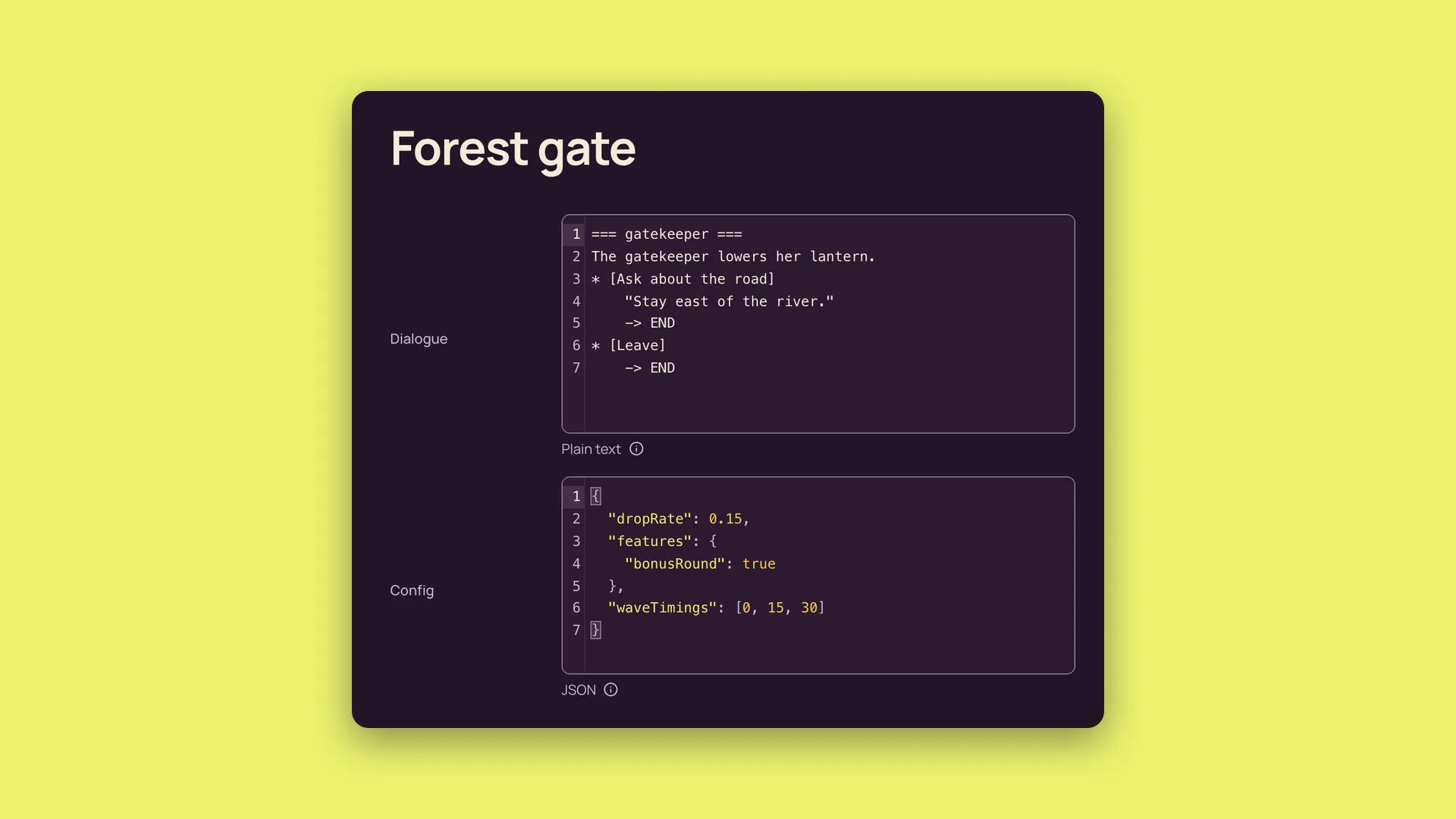
Would you open this value in a code editor? Then it is a code field.
A dialogue script, a runtime configuration file or an HTML embed is content that is code. It has syntax. Its whitespace may matter. Another program consumes it. A product's price or a post's title belongs in a normal field.
Shapio's new code field stores a string. It never trims, reformats or rewrites that string. Bytes in equal bytes out. The language setting tells the editor and API what kind of text the field contains.
Here are three ways to use it, starting with the program that consumes the content.
A game: dialogue written by the writer
A writer can keep a dialogue script in the CMS. The game downloads the string and passes it to its dialogue runtime for parsing.
For example, an ink script might contain:
=== gatekeeper ===
The gatekeeper lowers her lantern.
* [Ask about the road]
    "Stay east of the river."
    -> END
* [Leave]
    -> END
Create a code field and set its language to plain. Ink, Yarn and Lua are not language options yet. Plain gives the writer a monospaced editor and line numbers, without syntax highlighting.
That choice does not change the stored script. Shapio preserves the line breaks, indentation and punctuation exactly as entered. The game receives the string through REST and gives it to the runtime that understands ink.
The API also describes the field's language. With plain, that metadata identifies plain code text, not ink specifically. The game still needs to know which dialogue parser to use. The language setting describes the field; it does not select a runtime.
The admin uses CodeMirror. Tab moves focus to the next control, just as it does elsewhere in the admin. To indent, use Cmd-] and Cmd-[, or Ctrl-] and Ctrl-[ on Windows and Linux.
An app or engine: configuration its runtime already reads
A code field also fits configuration that an app or engine already reads as JSON or YAML. Think drop rates, feature flags or wave timings.
For a JSON configuration field, set the language to json and turn on Require valid JSON. An editor could maintain:
{
  "dropRate": 0.15,
  "features": {
    "bonusRound": true
  },
  "waveTimings": [0, 15, 30]
}
The runtime downloads the string and parses it as it would its existing JSON configuration. Shapio does not turn those keys into separate fields. The value remains one string.
Now suppose someone removes the comma after the drop rate:
{
  "dropRate": 0.15
  "features": {
    "bonusRound": true
  }
}
With the parse check enabled, the field shows "Must be valid JSON" before saving. The server refuses the invalid value too. That bad edit cannot become the saved configuration that the app downloads.
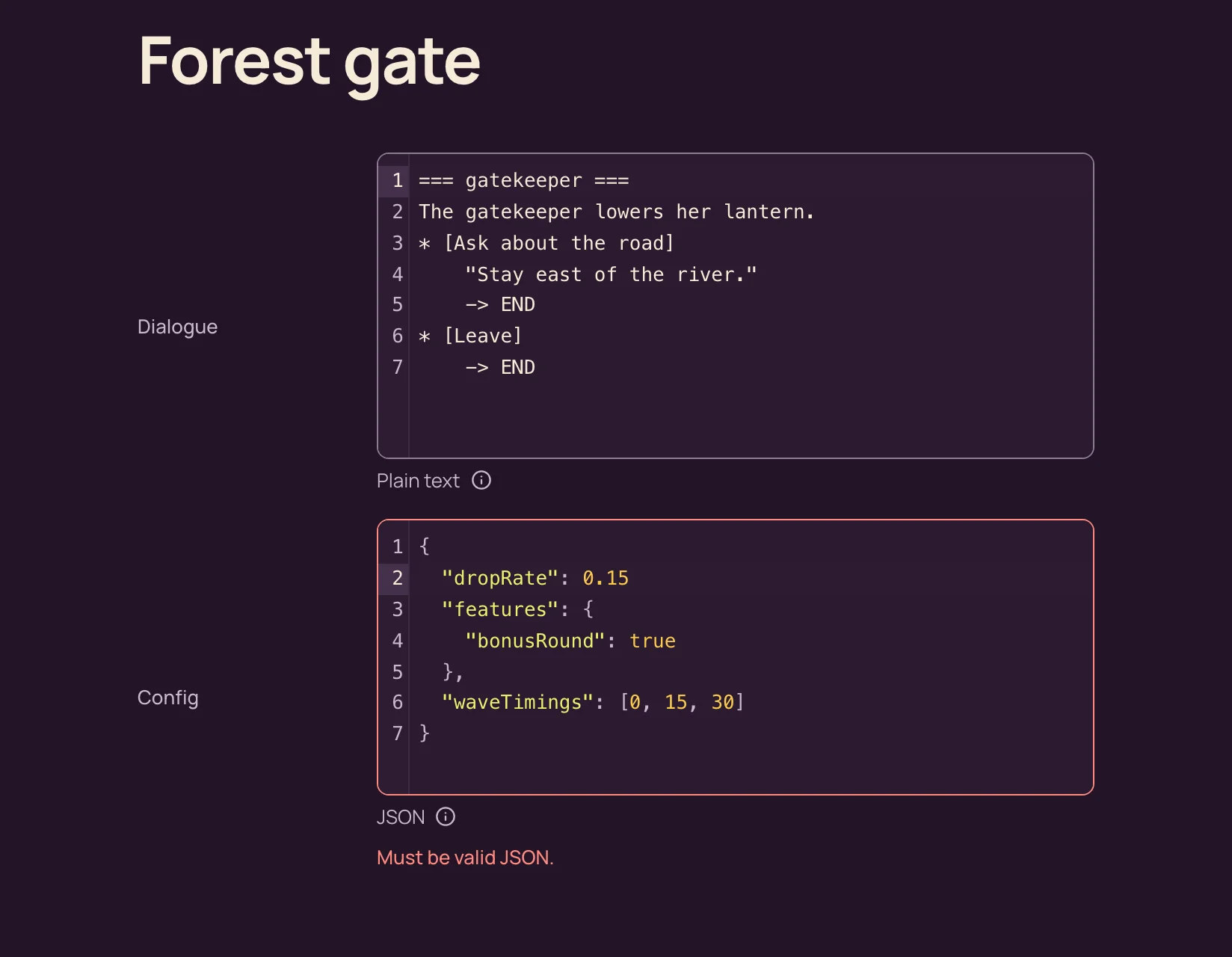
The check establishes that the value parses as JSON. It does not establish that a drop rate is sensible or that the runtime recognises a feature name. Those are separate concerns for the consuming app.
Use yaml when the runtime already reads YAML. Syntax highlighting follows the field's language, and its language pack loads only when a field uses it. The Require valid JSON option is for JSON fields.
A website: an editor-controlled verification tag
For a website, the code might be a verification tag in the head or an analytics loader at the end of the body.
Create an HTML code field named embed. An editor can enter a verification tag:
<meta name="example-site-verification" content="verification-token">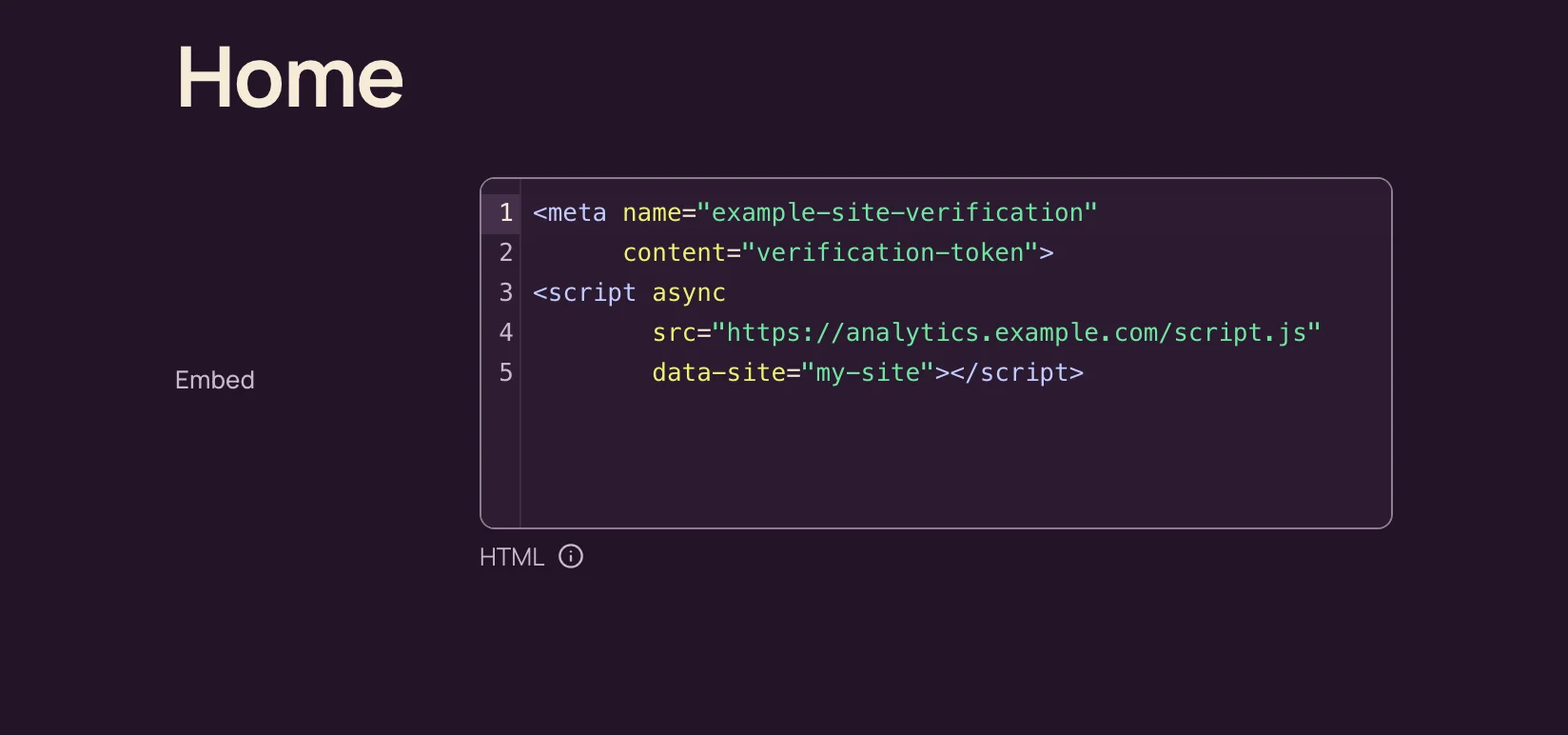
In an Astro page, render the string into the head. Here, site is the content object your page has fetched:
---
const { site } = Astro.props;
---

<html lang="en">
  <head>
    <meta charset="utf-8" />
    <Fragment set:html={site.embed ?? ""} />
  </head>
  <body>
    <slot />
  </body>
</html>
The same approach can place an editor-maintained script near the closing body tag.
On a static site, the change goes live after the next build, not instantly. Adding the field itself needs no rebuild, restart or deploy of Shapio. Models change live in the admin while Shapio runs. The website's build is a separate step.
What the API sees
In a schema file, an HTML code field uses:
{
  "type": "code",
  "settings": {
    "language": "html"
  }
}
Language is set once per field, not per entry. The options are plain, html, css, javascript, json, yaml and markdown.
REST returns the string. GraphQL returns String, with a field description ending in Code: html. OpenAPI adds x-shapio-language and, for HTML, contentMediaType: text/html. Generated TypeScript keeps the language in its doc comment:
/** Embed (Code: html) */
embed: string | null;
Code fields cannot be unique, filterable or sortable. Changing long text to code preserves every value, but the planner flags the change as breaking because filtering is lost. Confirm it in the change set or use --allow-breaking with shapio schema apply. Changing code back to text is not breaking.
Use a code field when the content belongs in a code editor and a client consumes its syntax. Keep prices and titles in normal fields. Let the writer or editor maintain the source, let Shapio preserve its bytes, and let the game, app or website interpret it.